
Introduction
Two common types of digital image formats are RAW and JPEG. JPEG files are significantly smaller than the equivalent RAW image and contain a fraction of the data the sensor on a camera can record. A RAW image contains all the original camera data for a photo, giving much greater editing flexibility.
The default setting on most cameras is JPEG files. When taking pictures in JPEG format, the camera makes processing decisions relating to white balance, colour saturation, tone curve and colour space. The camera then builds these changes into the resulting image but does not store the original data. When a picture is taken in RAW format, all data relating to white balance, colour saturation, tone curve and colour space are recorded, resulting in greater detail, improved colour options, greater dynamic range and full artistic control. Unlike JPEG images, repeated (non-destructive) editing can be undertaken without losing quality.
Basic Editing
Richard usually takes images in RAW format (with a JPEG backup). He will then use editing software (typically Adobe Lightroom and Photoshop) to process the image. This process gives greater control than shooting images in JPEG and applying formatting in-camera.
All lenses distort the image: the first step in processing a photograph is to use image correction software to remove this distortion.
When processing an image, Richard checks each photo to sharpen details, sets the white balance and colour profiles and applies an appropriate crop (if needed).
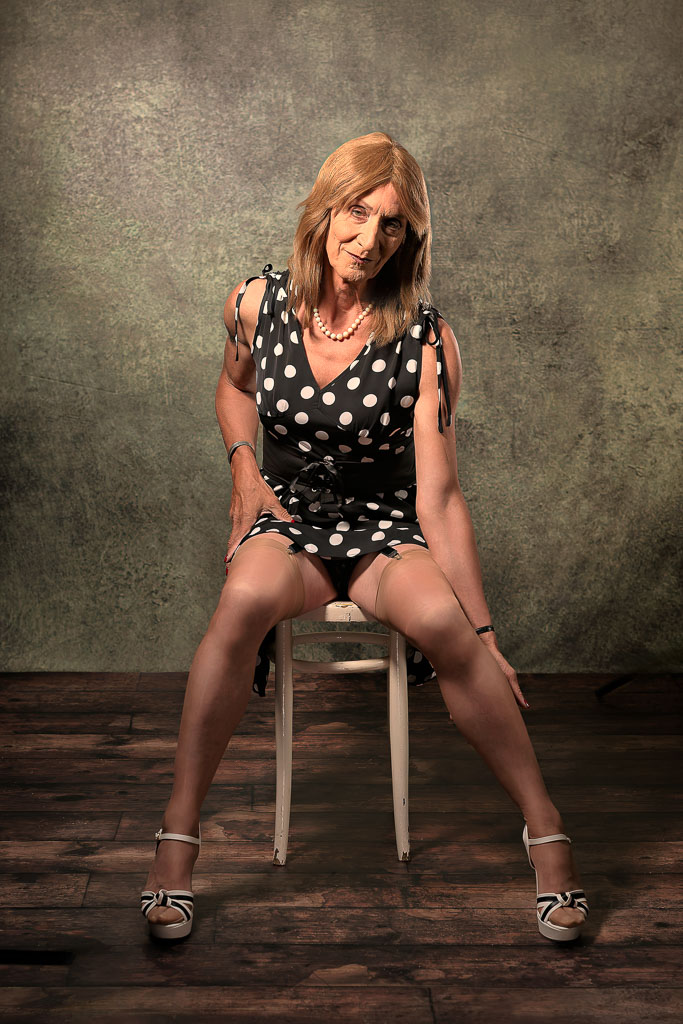
As a general rule, we will make the following edits to photographs:
- Remove unwanted creases, marks or stains from clothing or a backdrop
- Correct uneven skin tones (typically to remove red blotches not covered by makeup and which show up under the studio lighting)
- Remove shine from skin (when it reflects bright studio lights)
- Correct unwanted shadows or enhance desired shadows (especially to the face)
- Add volume (to give a two-dimensional image a more three-dimensional look)
- Brighten and sharpen eyes
- Clean teeth
- Remove and tidy up stray hairs
- Remove temporary facial and skin features (for example, a temporary scratch on the face)
- Remove unwanted background objects
What We Don’t Do
As a general rule, we will not do the following:
- Apply filters to remove wrinkles and permanent marks and other features beyond what makeup and soft lighting can achieve
- Apply filters to slim a model down or tone a model up
- Do repeated and/or complicated edits in response to a model’s poor makeup or outfit choices
Exception
The main exception to these rules is when photos are adapted for creative and artistic purposes: for example, making an image look like a cartoon or an oil painting, or creating a composite in which the model is inserted into another photo. In these instances, it should be clear that this is an artistic choice rather than trying to create a false image of someone.
Decisions About Editing an Image
We will discuss editing options; however, the editing process is our decision. Models should confirm in advance that they are happy with our general editing style and look before making a booking.
Further Editing
Detailed Editing
Additional editing can be undertaken, but is likely to result in additional costs determined by the complexity of the desired edits and the amount of work to be undertaken. If clients have specific needs they should discuss these with Richard in advance of any shoot to check that he is able and willing to undertake your desired editing choices.
Editing of Photos by Clients
Clients do not have permission to edit photos or ask a third party to do so (except for cropping to fit a specific size for social media, websites, or printed material [for non-commercial purposes]). Editing photos without our prior consent will result in the withdrawal of permission to use all the photos from a shoot; refunds will not be issued in these circumstances.
When the digital processing is complete, the images are normally exported to JPEG files for use by the client.